When building iPhone apps with Xcode on a Mac, you often encounter something called CocoaPods.
It's somewhat like a remote repository that collects the resources needed for building, where you download the resources required for development as needed to build the app.
(I don't actually know for sure)
Anyway, I was using CocoaPods fine on my M1 Mac, but for some reason, it started throwing crazy errors after an update.
At this point, it is said that you need to update Brew, install it cleanly, and then reinstall it using a command compatible with the new Silicon series.
Source : https://stackoverflow.com/questions/66644365/cocoapods-on-m1-apple-silicon-fails-with-ffi-wrong-architecture
Overall, it looks like this. First, remove ruby.
brew uninstall ruby --forceAnd also remove CocoaPods.
sudo gem uninstall cocoapodssudo gem uninstall cocoapods-coresudo gem uninstall cocoapods-downloaderAnd reinstall cocoapods in a way that fits the Silicon Mac environment
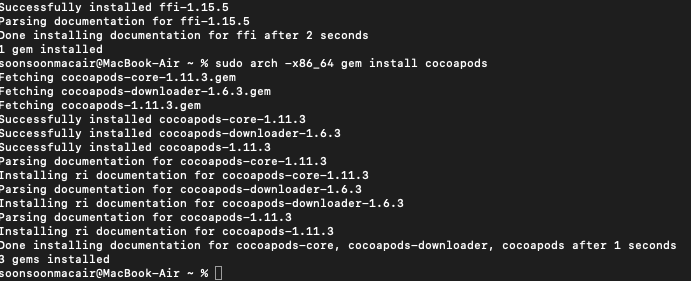
sudo arch -x86_64 gem install ffisudo arch -x86_64 gem install cocoapodsThen, install and use Pod in the project folder.
pod install In my case, I solved it using this method. If it doesn't work, try Googling as there are many other methods available.