It's been a while since I last updated an app I made with Unity. Since it's been a long time since my last update, there are many things to consider, but today I want to share a tip about "Localization".
When we speak of localization, we usually refer to the feature where app names and languages automatically appear according to the device's language. In the past, implementing this required the use of third-party assets or plugins, but now it is provided as a default Unity package.
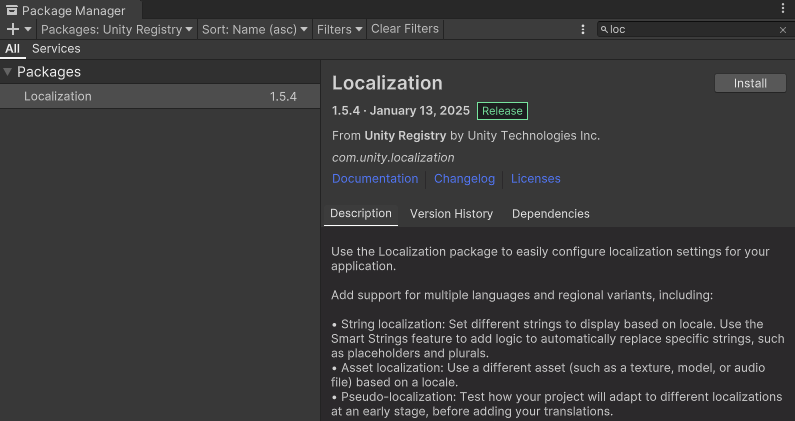
You can install it as shown below via the Package Manager.
Once installed, you can view the relevant items in Windows -> Asset Management -> Localization.
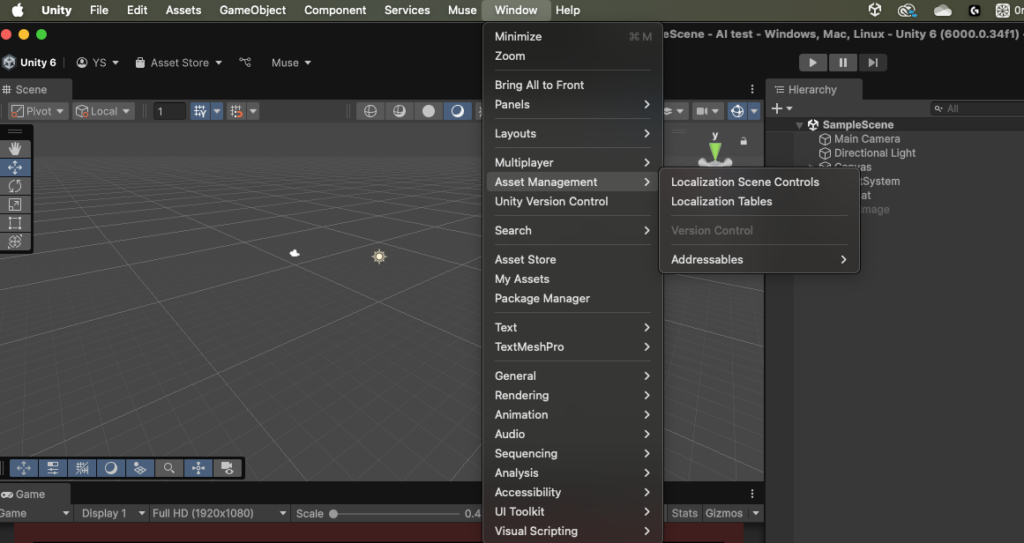
Although I haven't explored this package in depth yet, I looked into how to easily change the app name.
As shown below, I created a table in Localization Tables, selected en (English) as the primary language, and selected ko-KR, South Korea, as the secondary language. Since the 순순 촛불 app I provide is mostly downloaded from overseas, I selected English as the default language.
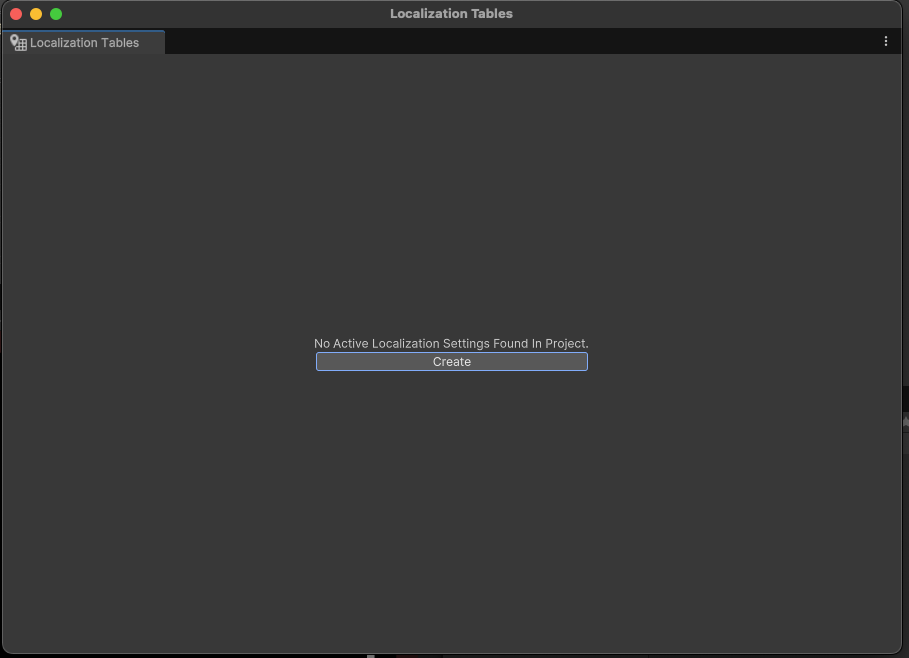
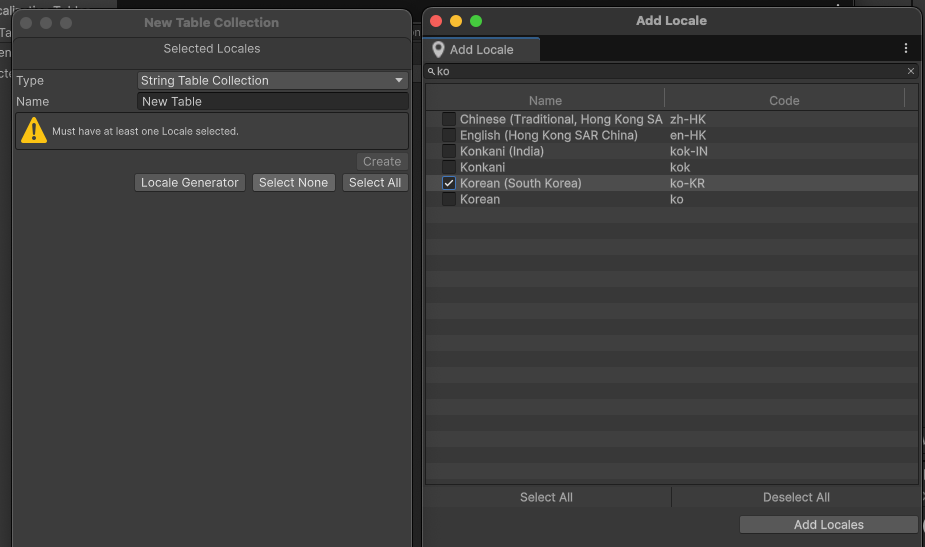
Then, set the names for each language.
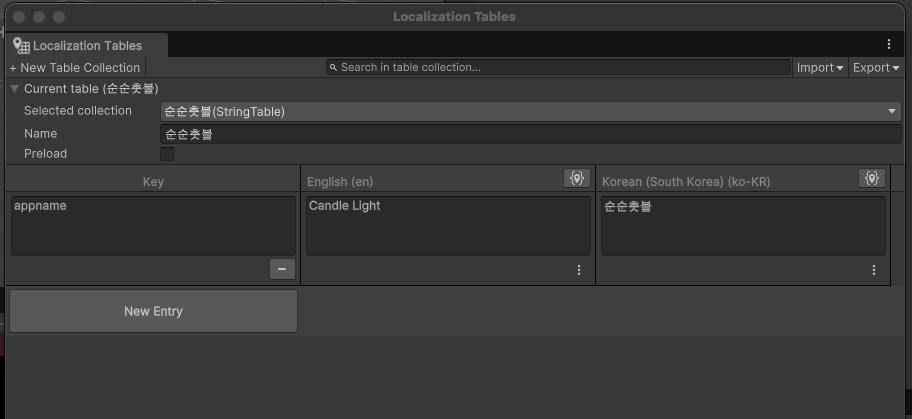
Then, the corresponding Localization Table file is saved to the Unity project folder during the process above. When saved, the Localization Settings are created together, and by selecting that file, you can view detailed configuration values through Unity's Inspector.
Now, let's go to the Localization area in Project Settings
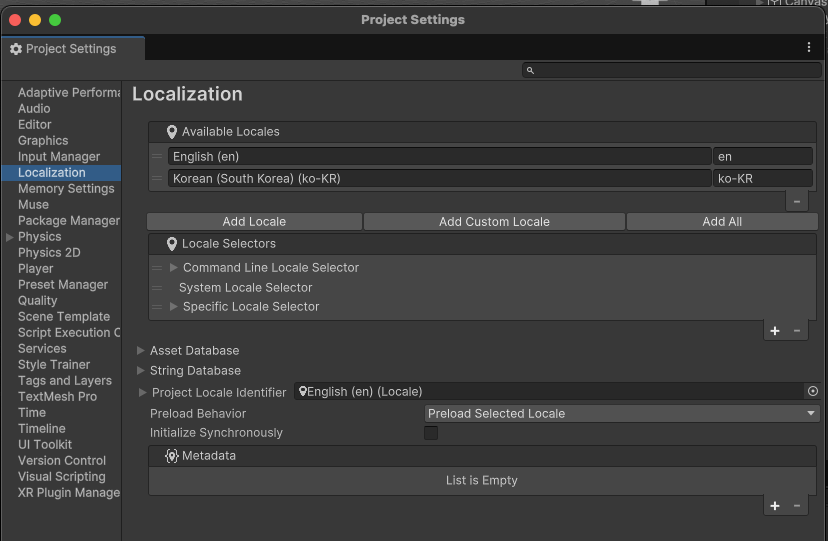
Then, you can see that the primary language is set to English, and you can see that Korean is set as the secondary language. (If you change the order of this content, the primary/secondary language seems to change.)
Then, by clicking the "+" button in Metadata in the bottom right, you can access the app information section.
아래와 같이 " + " 버튼을 누르고 Android -> App Info 를 클릭하자.
Then, as shown below, Android App Info is added, and if you select Display Name, the app_name key value created in the Table above will be visible. And if you select that, you can see that it is applied as shown below.
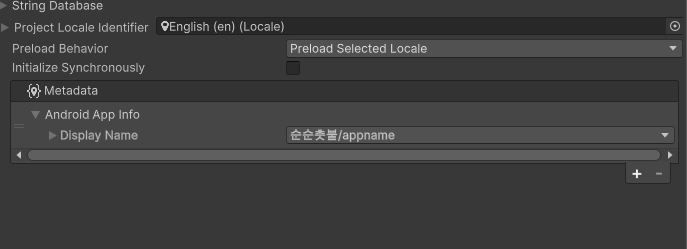
And now if you build, you can see that the app name is displayed correctly according to the device language.
For reference, it appears that Unity's Addressables resource management system is being used. Please note that this warning message appears during the initial build.
Also, although I am not sure of its exact purpose yet, checking "Smart" when creating tables and key values causes an error during the build. The error message suggests that the Smart feature cannot be used for app names.
Since this localization feature can also be actively used when utilizing not only app names but also overall variables, I think it will be great if used well.