Recently, I picked up a Creality Ender-3 V3 SE printer cheaply through an AliExpress sale and have been having fun playing with it.
Compared to the high-speed K1 printer, there are many aspects where it falls short in terms of speed or quality, but it is being used fun and well because it is quiet and offers great value for money.
However, unlike the officially introduced maximum speed of 250 mm/s, the default is set to 180 mm/s, and only High and Normal settings are provided by default.
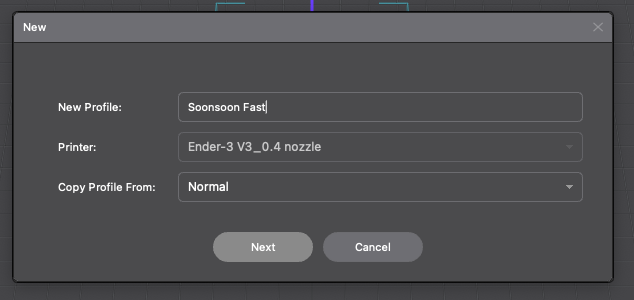
So, based on my experience struggling with the K1, I created some high-speed settings.
Refer to the following settings. Known as the Soonsoon Fast settings
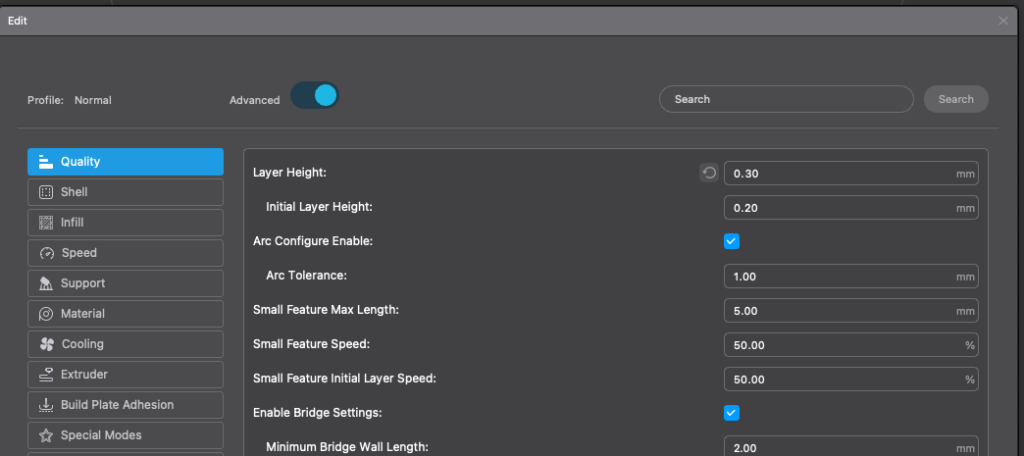
Layer Height : 0.3mm 로 해주었다.
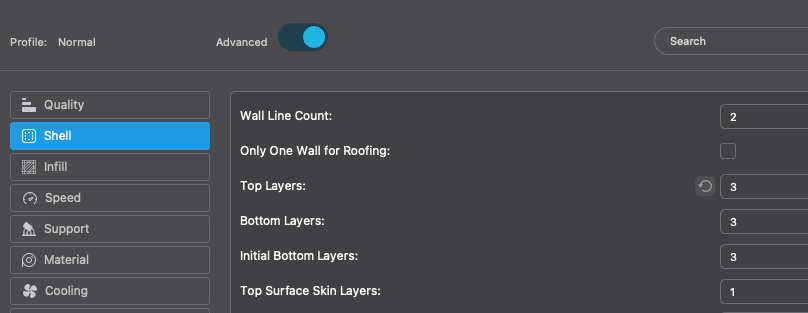
- Set Wall to 2 and reduced Top and Bottom layers to 3. (Default 4)
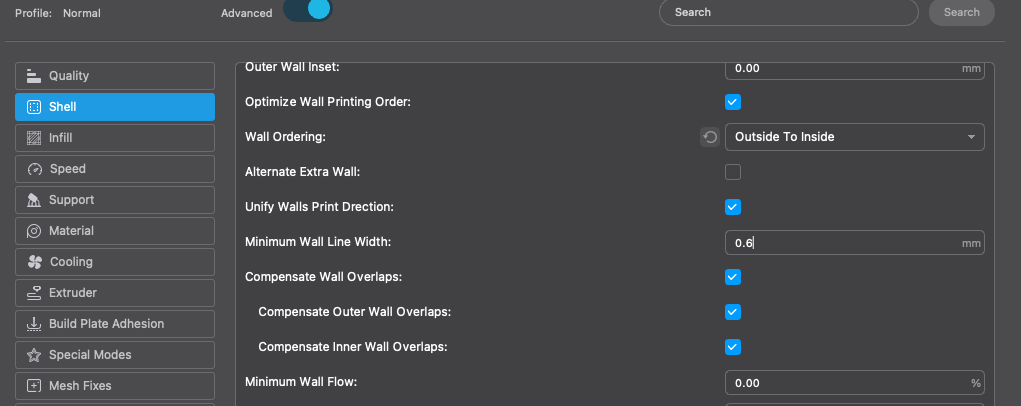
Also, I set Wall Ordering to Outside To Inside. I also raised Minimum Wall Line Width to 0.6. Since I am using a 0.4 mm nozzle, it doesn't quite reach 0.6mm.. but if I don't do this, too many gaps are created. This was not an issue on the K1, probably because the Flow is insufficient.
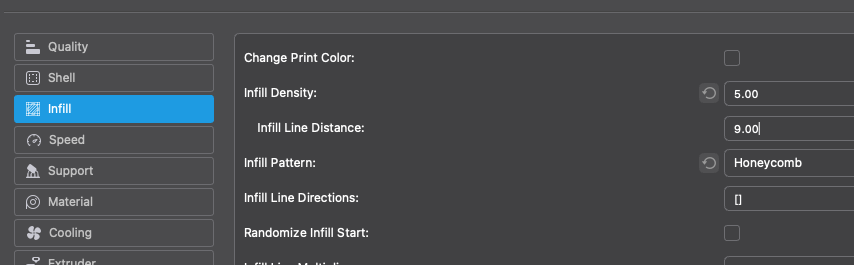
Infill reduced to 5% for extreme optimization.
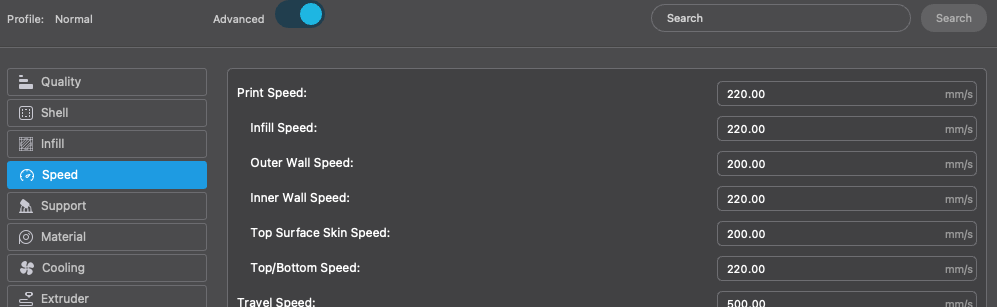
Set the speed as follows. Although the maximum is 250mm/s, changing it does not significantly reduce the time, so it was set to about 220 mm/s.
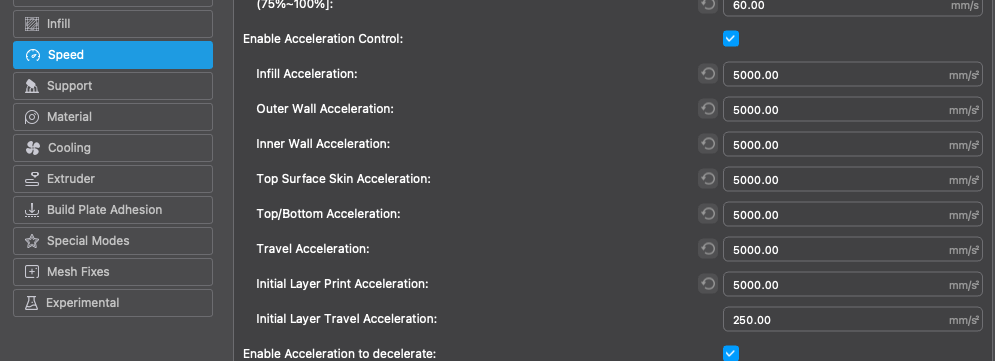
And a very important part is that the SE basic model frequently experiences Y-axis slippage if acceleration is set above the default maximum of 10,000 due to body instability (the Y-axis motor's power is weak). Therefore, to print stably, it is important to limit acceleration to around 5,000.
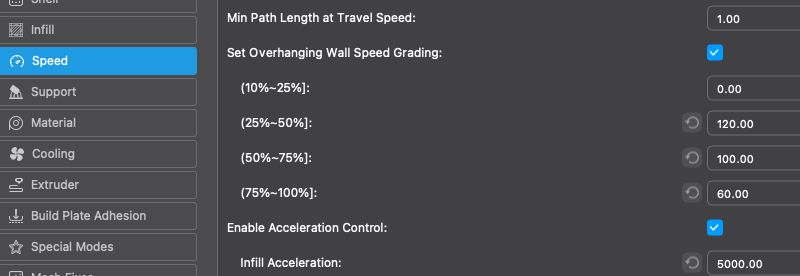
Also, you must enable Set Overhanging Wall Speed Grading, which is disabled by default. If you don't enable this, the output is not done properly, possibly due to insufficient cooling at high speeds. The default value was too slow, so I increased it slightly.
Jerk was set to the default of 9mm/s.
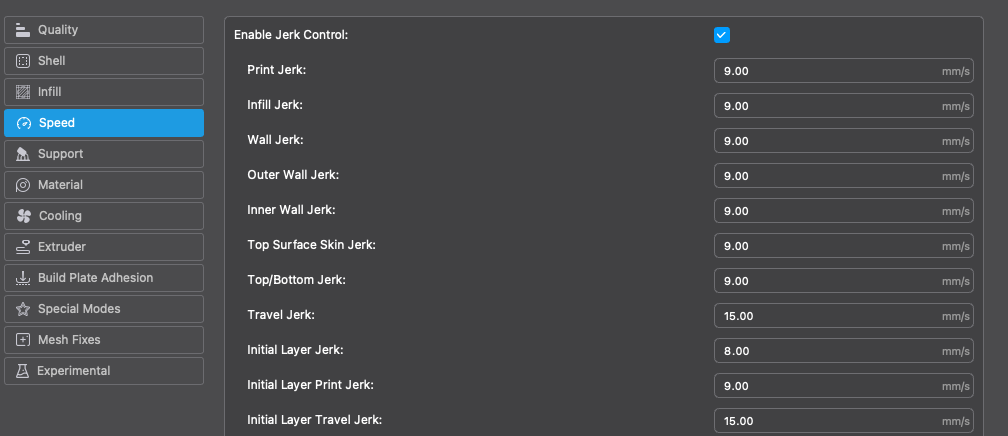
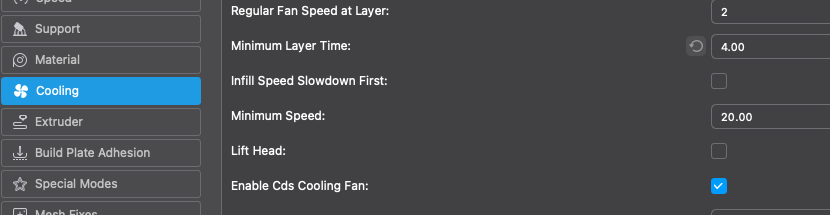
And just like with the K1, the Cooling settings are also adjusted.
And when we slice it, we get about 27 minutes. Since the default was around 59 minutes, it has been cut in half.
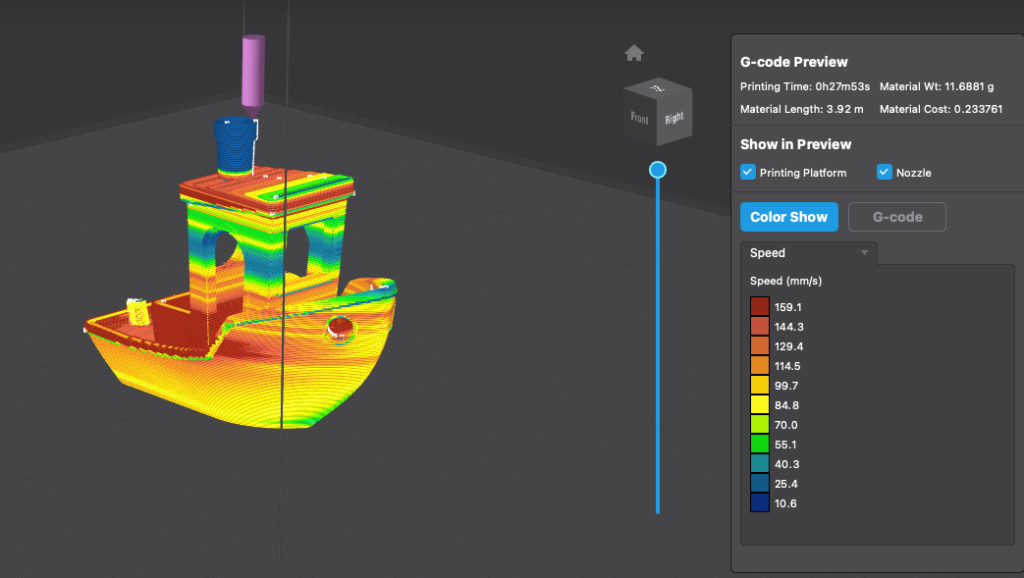
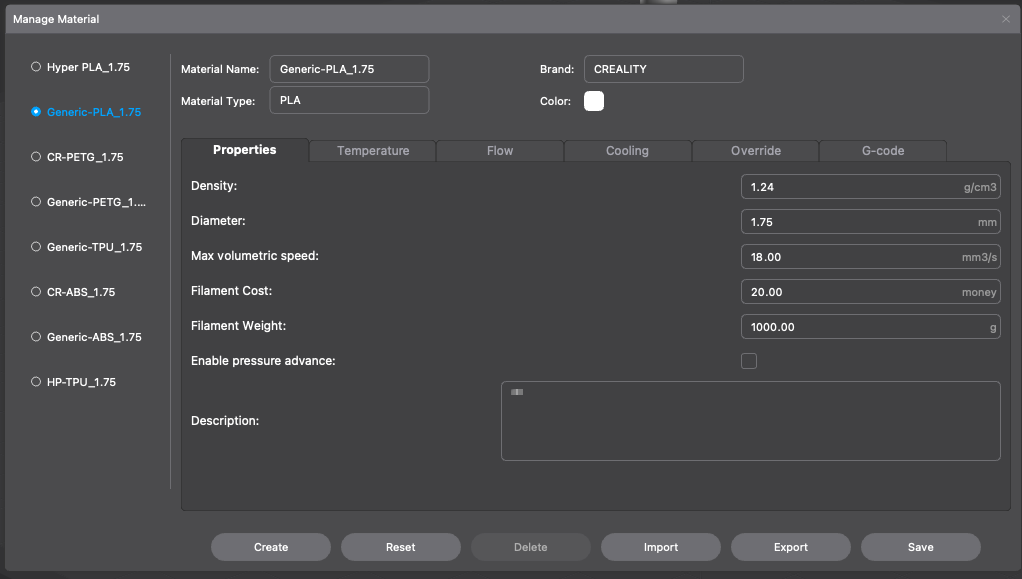
By the way, no matter how much I increase the maximum speed, if I preview it via Gcode, it does not reach 250 mm/s. This is because the Volume Max Speed is set to 18. If I raise it to about 30, I can meet the maximum speed, but the print comes out in a very poor state. It seems that this part is only possible if I change the nozzle to a good one that provides good flow up to the nozzle. Also, the basic structure seems to need to be changed a bit..
This is... let's leave it alone, just use the default 18, and in cases where printing doesn't work well, you can actually see that lowering it further makes the printing work.
Please refer to the following YouTube video for the full content.
Although I was able to get quite a satisfactory speed by lowering the quality somewhat.. I think I could print even faster if I could use a clipper, or if I could just add a side cooler.
And for the slightly lacking surface quality, using the Fuzzy Skin tip introduced last time to cover it can yield quite good results.
Creality Ender-3 V3 SE Purchase Link
https://s.click.aliexpress.com/e/_DDF7YpV
Hyper PLA purchase link
https://s.click.aliexpress.com/e/_DkgO1Hh