In the last post, I addressed the issue of Codex weekly usage dropping unusually quickly.
 soonsoon blogOpenAI Codex Weekly 사용량 한도 이슈, 나의 토큰이 활활 불타고 있다? | soonsoon blogOpenAI Codex 사용량 한도 이슈와 Weekly Limit 소진 논란, 사용자 제보, 공식 인시던트 이후 남은 불확실성을 정리했습니다.https://soonsoon.io/codex-usage-limit-predictability-issue/
However, after writing the post, I looked a bit more into my environment and found quite an interesting hint.
The fact is that Codex Desktop and the Computer Use / CUA processes were continuously running, and this trend seemed to overlap quite strongly with the point of weekly usage exhaustion in my environment.
For reference, Codex has a separate feature called Computer Use. The OpenAI documentation also guides Computer Use as one of the features of the Codex App.
 developers.openai.comComputer Use – Codex app | OpenAI DevelopersLet Codex use desktop apps while it workshttps://developers.openai.com/codex/app/computer-use
The environment I checked is roughly as follows.
macOS
Using the Codex Desktop app
Codex CLI 0.142.x series
Using Computer Use / CUA features
Weekly usage warnings appearing more often than usual
At first, I simply thought I was using Codex a lot. But it felt a bit off. I wasn't giving it long tasks, and I hadn't entered any prompts while leaving the app open, yet the weekly usage warning kept popping up.
So, I looked at Activity Monitor and local logs.
Then I noticed processes like SkyComputerUseService, cua_node/bin/node_repl, and VideoCaptureService running.
Here, the terminology might be a little unfamiliar.
SkyComputerUseService appears to be a service related to Codex's Computer Use functionality based on its name. node_repl appears to be an auxiliary execution process based on Node.js, and VideoCaptureService appears to be a process related to screen capture or visual information collection.
In other words, looking at these three together, Codex Desktop appears to be a background runtime required for the screen to be viewed and manipulated. Of course, from the user's perspective, it is impossible to verify how much these processes actually consumed weekly usage. However, in my environment, the periods when these processes repeatedly appeared and the periods when weekly usage dropped rapidly seemed to overlap quite a bit.
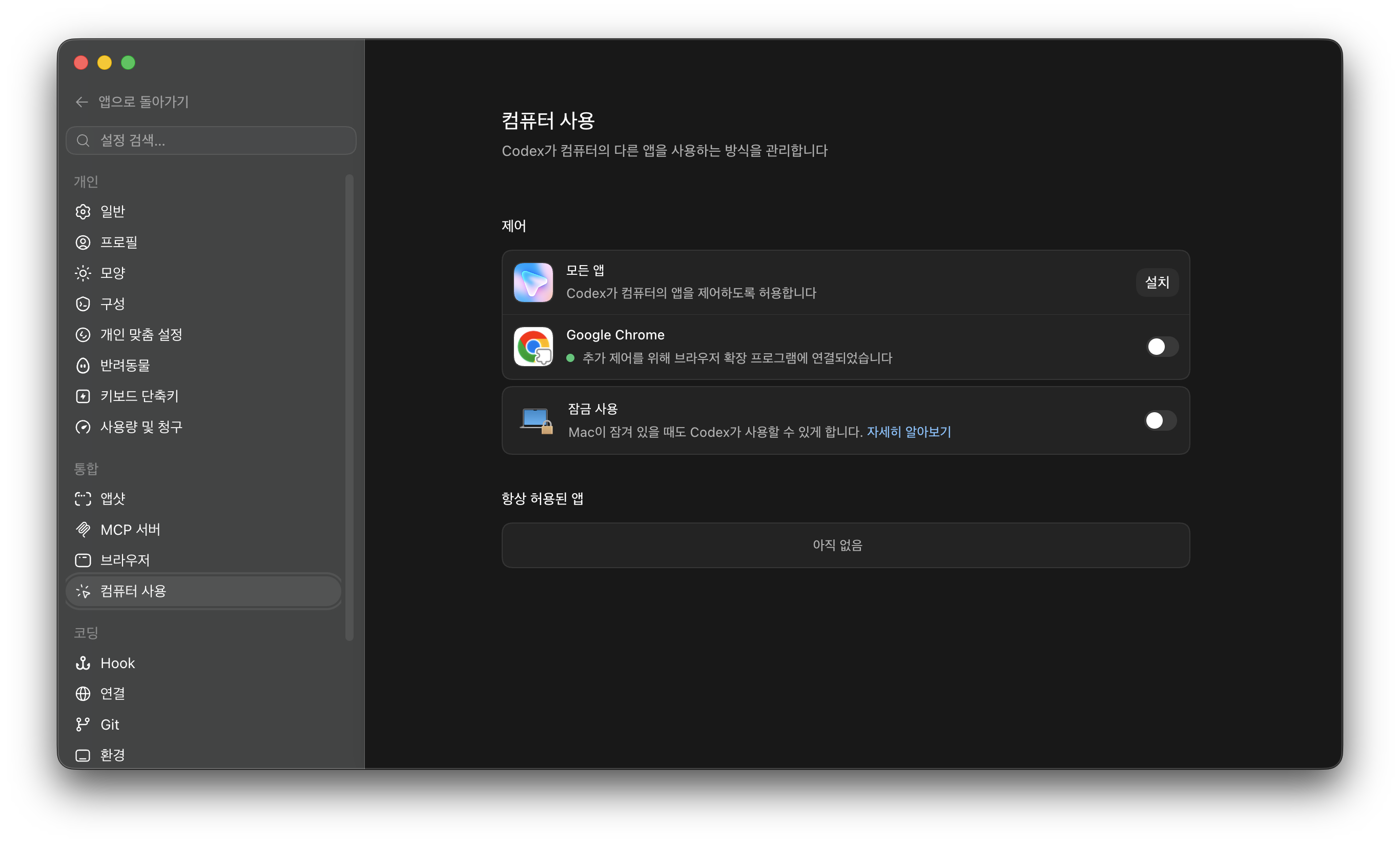
Codex 의 설정 -> computer use 에서 설정을 할 수있습니다.
In short, it is a feature that allows the AI to see my computer screen and click or type when necessary. To do this, processes such as screen capture, status checking, and an auxiliary execution environment may be required.
However, what was strange was that these processes continued to linger even while not directly using Codex. Looking at the logs, traces of Codex threads repeatedly ending within a short period of time continued to appear.
23:57 -> thread ended
00:00 -> thread ended
00:01 -> thread ended
00:04 -> thread ended
00:06 -> thread ended
00:17 -> thread ended
00:20 -> thread ended
00:21 -> thread ended
00:23 -> thread ended
00:31 -> thread ended
00:45 -> thread ended
00:48 -> thread ended
We cannot say for sure that actual credits were used based on this log alone. However, it was quite strange that thread lifecycle events appeared repeatedly even though the user did not keep entering prompts directly.
In other words, it seemed possible that even when I thought I wasn't using Codex, CUA-related background tasks were still running inside the Desktop app.
This is the flow I am currently suspecting.
Codex Desktop app is on
→ Computer Use / CUA runtime is running
→ Capture service for reading the screen is active
→ Node-based auxiliary processes are handling tasks
→ Threads are repeatedly created and terminated
→ This process appears to be linked to weekly usage depletion
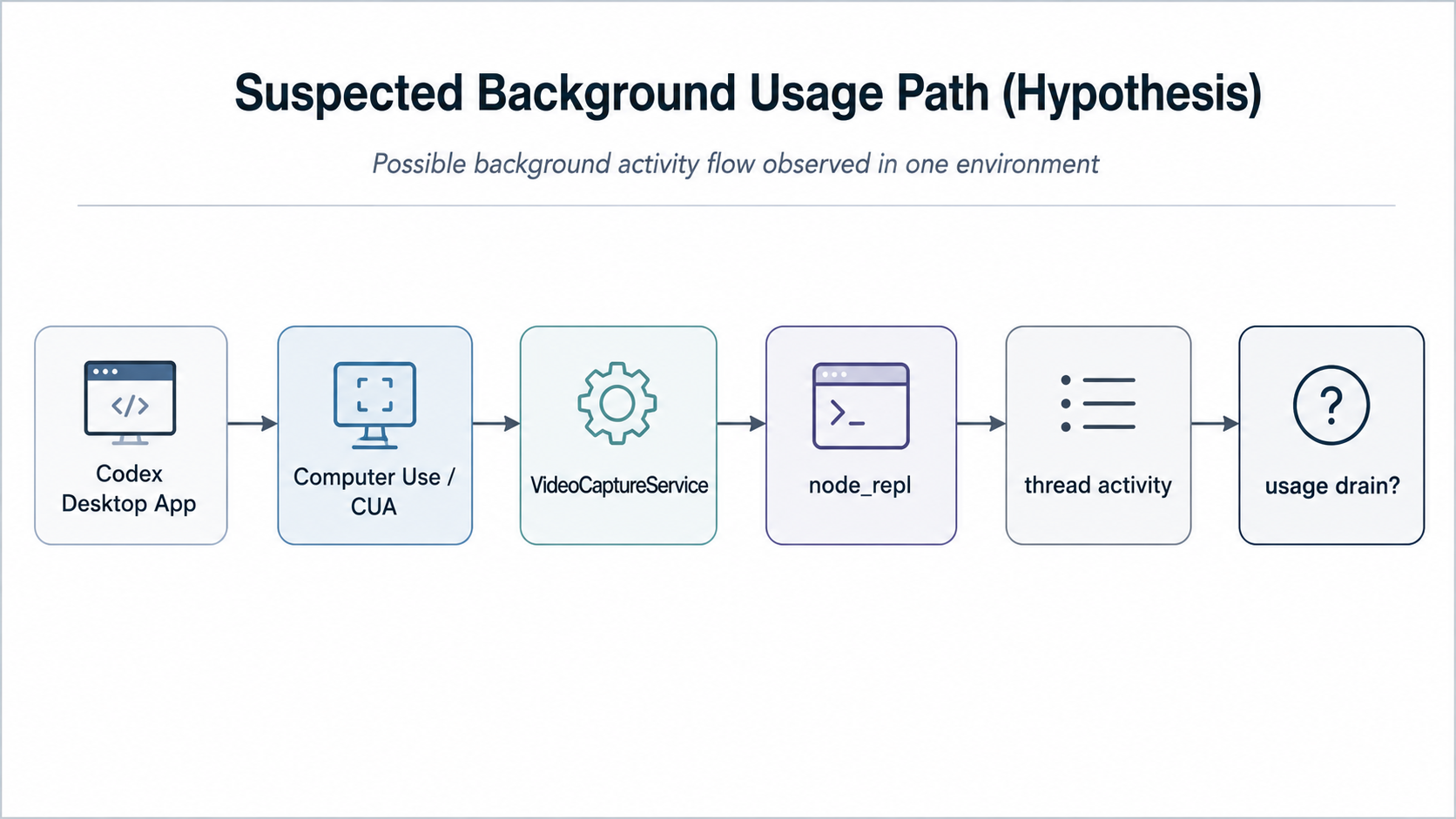
Suspected process (?) eating into my weekly usage
After turning off the CUA side, especially the flow related to SkyComputerUseService, and completely closing the Codex Desktop app, the weekly usage feels like it has returned to how it used to be. After testing and after a day has passed, the usage has definitely decreased.

Finally normalized my Codex weekly usage..
Of course, it wasn't a completely controlled experiment, and I can't give a definitive answer as to whether the weekly usage depletion issue I experienced over the past few days is directly connected to this problem.. At least in my environment, abnormal weekly usage exhaustion appeared to be strongly correlated with CUA background thread activity.
As discussed in the previous article, the issue of the Codex usage limit being hit was also officially reported as an incident on OpenAI Status.
OpenAI StatusCodex Usage Limits Depleting Faster Than Expected - OpenAI StatusAll impacted services have now fully recovered.https://status.openai.com/incidents/01KW2E6W0503W4NXJNCVAG8V6THere, the important thing is not to single out SkyComputerUseService as the culprit. The core is that even when not directly using Codex as a prompt, the Desktop app and Computer Use feature appeared to continue performing something in the background.
The reason we cannot clearly answer that the problem occurred due to this cause is that it is too opaque how usage is actually consumed based on the information provided by OpenAI.
It is difficult to distinguish whether this was used on Codex Desktop, CLI, IDE extension, Computer Use / CUA, or by auto-review or subagents.
If you feel that Codex weekly usage has suddenly dropped too quickly, please check the following content.
When not using Codex, completely quit the Desktop app.
Compare the state with Computer Use / CUA features turned on versus off. ( I noticed a difference here. )
If using macOS, you can also check in Activity Monitor for processes like
SkyComputerUseService,node_repl,VideoCaptureServicerepeatedly appearing.
I don't think this hint is the root cause of the sudden drop in Codex usage. However, if you are experiencing similar symptoms, it seems necessary to check not just the number of prompts, but also Codex Desktop, Computer Use / CUA, and background processes together.