Soonsoon Parameter Project
The Creality 3D Slicer, the default slicer for the Creality K1, is sufficient to produce high-quality results.
The Soonsoon Normal parameters are settings that provide good quality on the K1 at a 0.2mm layer height and offer improved print times compared to the default Normal settings.
These settings were created based on Creality Hyper PLA, a filament dedicated to high-speed printers.
설정 설명 Youtube 영상
Soonsoon Parameter Normal (0.2mm height) Download
If the above file fails to download, you can download it from the following GitHub repository.
 soonsoon2
How to Install
First, check that the Extruder setting in Creality 3D Slicer is set to Hyper PLA.
Next, click the Import button to add the downloaded Soonsoon Normal parameter file to the slicer. And it seems that the slicer must be turned off and on once for it to be applied correctly.


**After loading, values are often not applied correctly due to Creality slicer bugs. In this case, check that the following values are entered correctly. **


Slicing 확인하기
Based on the 3D Benchy Ship data, if you slice, you can see that the speed is evenly distributed as shown below.
If the settings are loaded correctly, it should take approximately 26 minutes to print based on the Ship data.

Below is the Normal setting provided by default by Creality.

Comparing Soonsoon Normal with Creality Normal, it can be seen that there is a significant difference in speed for each layer.
Output Result Check
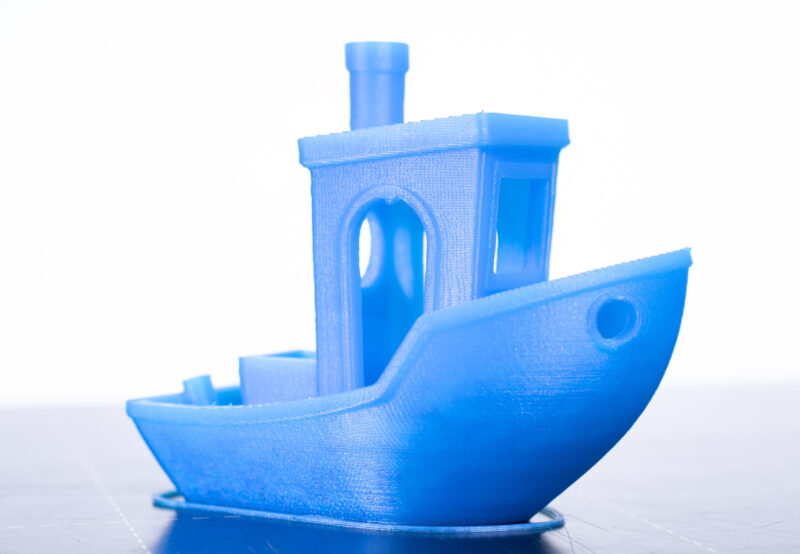
First, here are the results printed with the default Normal profile.
Unfortunately, the surfaces are not smooth overall, and the appearance of some prints is significantly compromised.

Next is the result printed with Soonsoon Normal.
It is indeed printed with a smooth surface overall, and it can be confirmed that small shapes like arches are printed well.

A comparison of the two prints

Appearance on the other side

This is an image where the angle is adjusted to catch the light, making the surface extremely visible, and processed in black and white to ensure the surface is clearly visible.
It is clear that the Soonsoon Normal settings produce much smoother surfaces.


Why is there such a difference?
The reason I was able to get hints for creating the Soonsoon Normal values was as follows.
- When printing the default Creality K1 Ship bench data, the quality is disappointing.
- However, as you use it, general boxes or large cylinders come out with decent quality.
- Looking at the results from other users, there are some data sets that print with unusually good quality.
During the recent print quality test, I discovered a few interesting facts. When examining the XYZ cube used for the test, I observed a characteristic where lines appeared horizontally starting from a specific layer, showing a difference in extrusion amount.

However, even with the same profile, when printing an object without any elements over a certain length, you can still see a fairly good print result.

One assumption could be made here..
Soonsoon benchy test file with a rectangular prism shape was created and tested to see if the element exists.


Here, I obtained an interesting result. Traditionally, to eliminate vibration patterns like surface ripples and improve quality on 3D printers, one would choose to lower speed or acceleration. However, on the K1, lowering the speed to 100mm/s or below actually caused the surface patterns to appear even more severely.

During the bench test, I was able to confirm the reasons for these issues. It turned out that when the surface was smooth, it was not due to the influence of print speed, but rather when the differences in layer speeds were even, the print results were better.


Therefore, the Creality 3D slicer includes an algorithm that lowers speed to improve print quality based on the size and angle of the shape, but this feature appears to cause a drastic reduction in surface quality.

For this reason, ironically, the key to improving surface quality is to match the layer speed as closely as possible to a constant speed rather than lowering it.
Conclusion
The quality issues currently occurring when using the K1 printer can be broadly categorized into three main areas.
1) Hardware defects
2) X, Y surface waviness and vibration patterns similar to ghosting
3) Z-axis quality Hull or other uniformity issues
Here, case 1 is literally a hardware defect, with a defective extruder being the representative example. I understand that Creality is responding to this by replacing the extruder and heating block, among other components.
However, the second case is a bit of a headache; through my testing, I empirically confirmed that when the speed drops below 150mm/s to 100mm/s, wavy patterns appear unusually, and when it exceeds 300mm/s, they are not visible.
According to opinions from overseas communities, for high-speed printers, the internal irregularities of the belts controlling the X and Y axes are manufactured to be about 2mm in size to allow for fast control. Consequently, there were opinions that wave patterns inevitably appear when printing at low speeds.

However, as I tested, for small shapes under 10cm, even if the maximum speed is set to 300mm/s in the K1 slicer's own algorithms, it rarely reaches 100mm/s when internal shapes exist, which appears to cause wavy patterns.
Therefore, by forcing the slicer to print the entire surface at a speed of 150mm/s or higher and maintaining a similar constant speed during Z-axis layer changes, these issues can be significantly reduced.
However, there is still an unresolved issue: the very traditional problem of 3D printers known as Hull Line issues. While this is an X, Y axis issue, it ultimately causes uneven Z-axis quality.
While not certain, based on this test and improvement, it seems that the Creality K1's extruder system still has issues. It appears that proper extrusion control is not achieved according to speed, which ultimately causes a decrease in Z-axis surface quality.
Since this was a problem I couldn't solve on my own, I used widely known methods found through Google, such as reducing infill, changing the pattern, controlling the extrusion amount in small quantities, lowering the filament output temperature, and more, to try and improve it as much as possible.
As a result, the Soonsoon Normal settings show surprisingly improved quality compared to the existing Normal settings, and while there is some variation depending on the print data, they also reduce print time by about 10-30%.


Although I haven't been able to use it for even a full day yet, the results are truly satisfying.
Personally, the biggest complaint I had while using the K1 was the surface quality, which was far inferior to the Bamboo product line, even though they are similar printers. While I wouldn't say it's at the Bamboo level yet, I think the K1 has become much more usable, as it shows this level of quality with just basic slicer modifications.
By the way, after doing a bit more testing, it seems that faster speeds with even better quality are possible.. (unverified)
Conclusion..

From the test where I discovered initial hardware defects while using the K1, to the high-speed printing settings shared previously, and now the quality improvement settings... I think I've used about 6 rolls of filament over the past month.
And now that I've achieved quality improvements through speed control and other settings... I really don't understand why Creality couldn't find these settings using the Creality Slicer before release.
Of course, it was a truly painful test over several weeks.. (changing settings to print, researching, changing settings again to test, and so on..) Creality is a company that makes and sells a wide variety of products and is a capable company, so I think it would have been much more convenient and easy if the manufacturer had conducted these tests.
By changing just a few settings, it is possible to achieve much better, faster quality prints even with the default slicer.. Why aren't these settings being provided..?
I'll end the post wondering if there's another reason.
Next, I need to create 0.25mm and 0.3mm output profiles that balance both speed and quality, as well as settings with layer heights pushed to the extreme, such as 0.1mm and 0.06mm.
Of course, it would be great if Creality referenced this post to share official high-quality settings.
Related Product Purchase Links
K1 : https://s.click.aliexpress.com/e/_DFzWeXT
K1 Max :https://s.click.aliexpress.com/e/_DmhZ13X
Nozzle Set : https://s.click.aliexpress.com/e/_DFoBd9d
Hyper PLA : https://s.click.aliexpress.com/e/_DdYTz2x