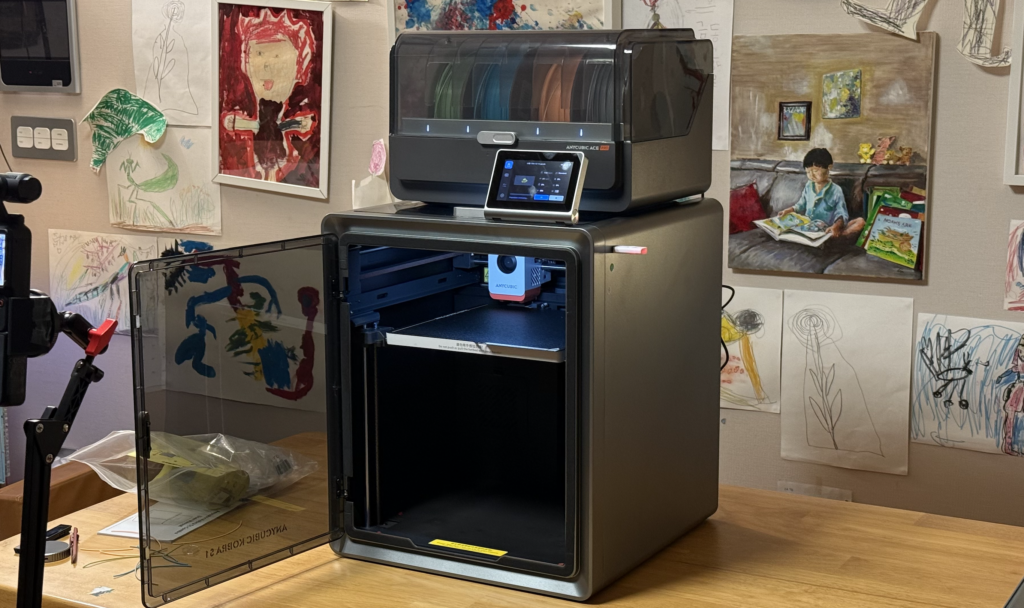
I recently had the opportunity to test the S1, Anycubic's first CoreXY structure chamber-type high-speed + multi-filament supported 3D printer.
Personally, this is the third Anycubic FDM printer I've purchased and used, following the Kobra 2 Max and Kobra 3 Combo, and if you count resin printers, it's already my fourth Anycubic printer. Since I've bought from this company more times than any other direct purchase, I have a lot of affection for them.
Previously, I was drawn to Anycubic due to the Kobra 2 Max's wide build volume and value for money. Unfortunately, there was no official importer in Korea, so I had to buy through direct import every time. With the dollar exchange rate becoming so expensive recently, I hadn't even considered buying this product. However, 3D Makers has become the official importer of Anycubic in Korea, and they mentioned they are considering an official launch for this product, giving me the opportunity to review it.
The S1 is a high-speed printer with a CoreXY structure released by Anycubic for the first time. It is a multi-filament support printer that can connect up to two Ace Pros, similar to the Kobra3, allowing for a total of 8 filaments to be used.
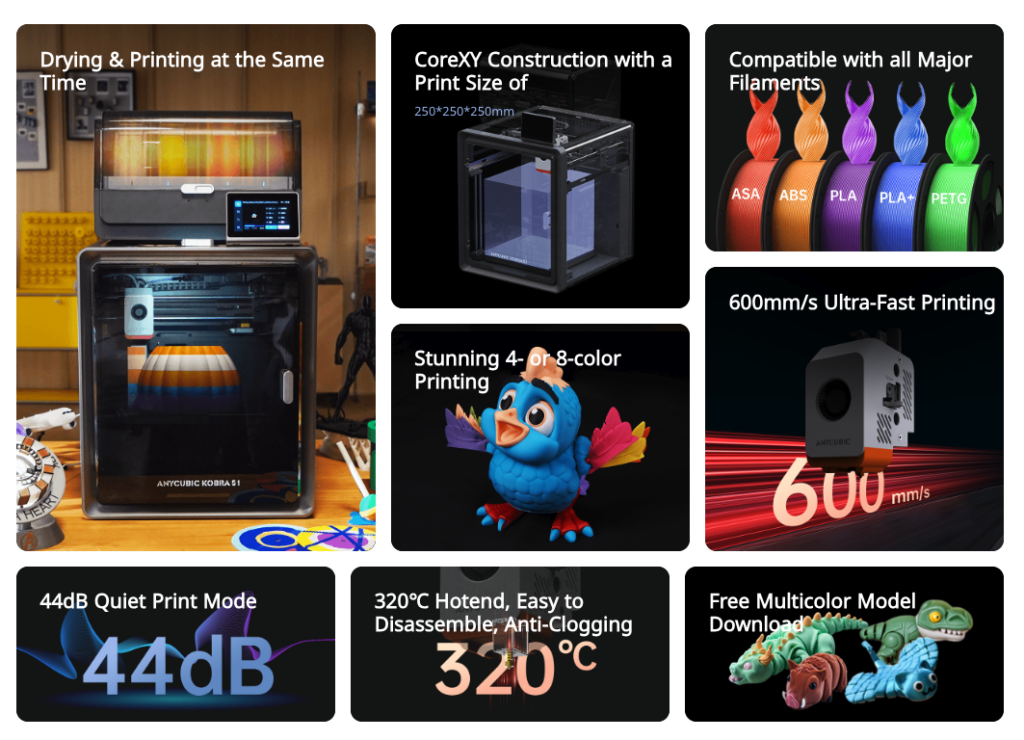
Looking at the main features of the S1 product, they are as follows.
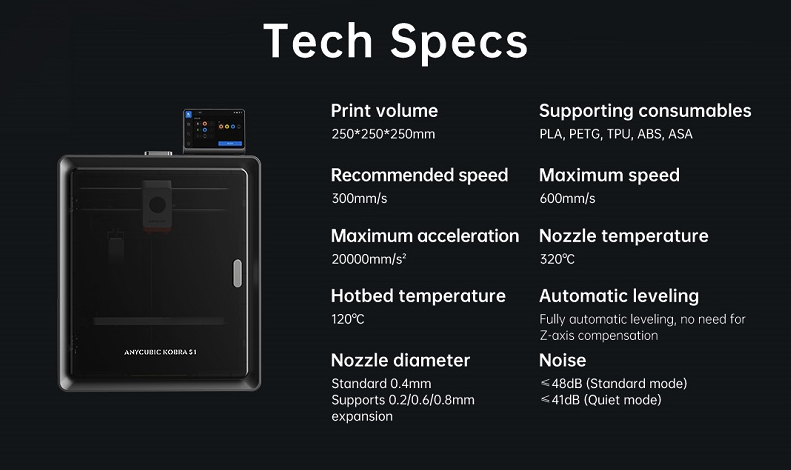
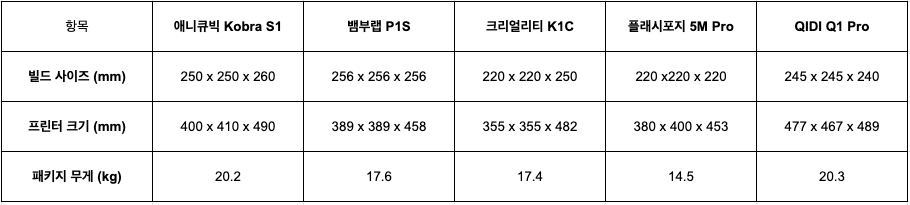
Its tech specs are as follows: it is a CoreXY high-speed 3D printer with a slightly smaller 250 x 250 x 250 print size than the Bambu Lab P1 series.
Since the emergence of Bambu Lab, high-speed high-quality printing seems to have become a standard option, but starting in the second half of 2024, Creality and other competitors have been releasing multi-filament printers one after another. Among famous manufacturers, Anycubic is one of the few companies to introduce a CoreXY + multi-filament system since Creality.
One of the S1 product's major strengths is its affordable price, which includes a suitable print size of 250 x 250 x 280, CoreXY, and 4-color multi-filament support, all sold for a remarkably low price of $629.

Of course, this price is a launch discount, but given Anycubic's nature, launch events are usually set at discount prices even on normal days, so this price is likely to remain largely the same. It is actually available for purchase at a discount on AliExpress, selling for $549, which is cheaper than the $629 on the official site.
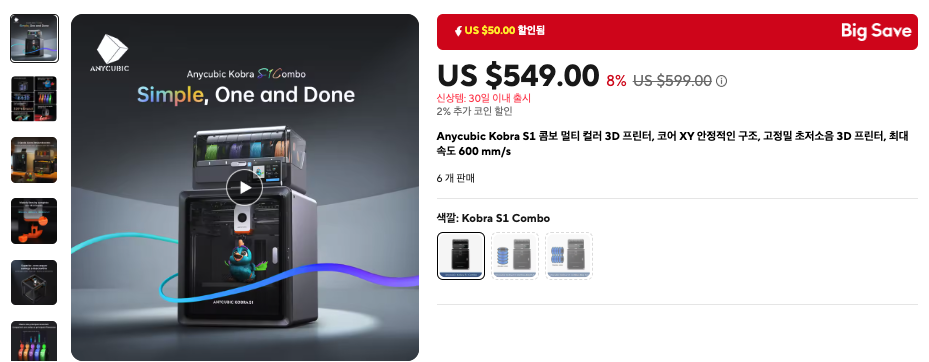
Since this is just a discount from an Ali seller, by making good use of coupons, card discounts, and seller discounts available during Ali's discount events, it might be possible to purchase it for the mid-400 dollar range. Even including tax (since customs duty is exempt when purchasing overseas direct from a 3D printer produced in China), it seems purchase would be possible for around 500 dollars, so even with the current high exchange rate, it looks like it would be possible to buy for about 800,000 won.
Moreover, since Anycubic has not yet decided on official sales in Korea, the official price has not been announced; however, the price I inquired about was quite competitive, so purchasing the product once it is officially released domestically seems like a very good idea. (I will add a link once official sales begin.)
At this print size, the Bambu Lab P1S is in a similar position, and since the official domestic price is 1,416,000 KRW, it can be considered to have been released at a very competitive price.
First, I received the product and picked up the box to open it, and it feels quite substantial. The weight is about 20 kilograms, which is a bit heavier than other printers with similar print sizes, and it feels about the same weight as the Qidi Q1 Pro.
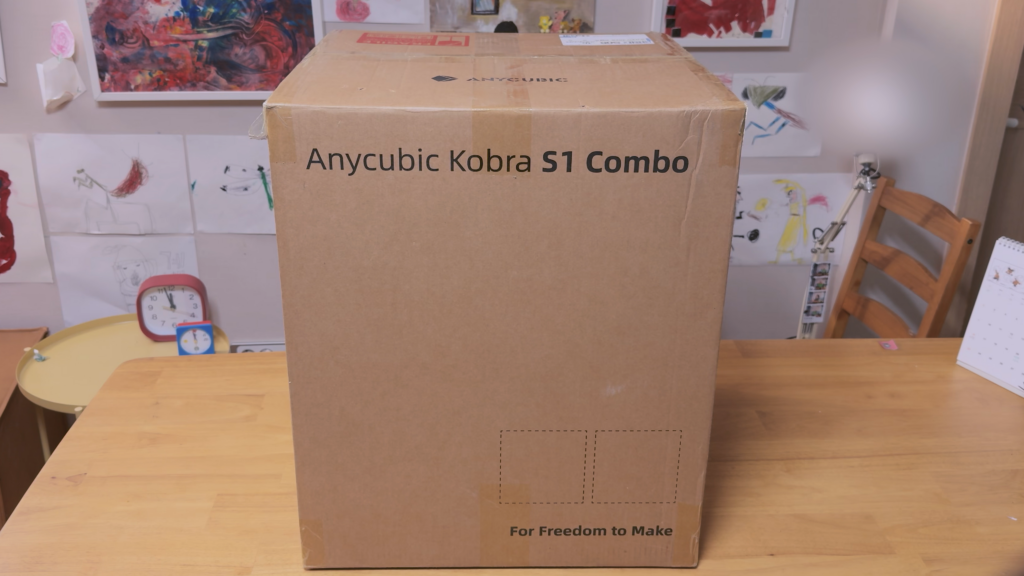
Why is it so heavy? First, it is a combo product sold with the ACE Pro, so the structure includes the Ace inside, and the actual mechanism is on the larger side. Also, the actual weight is a bit heavier.
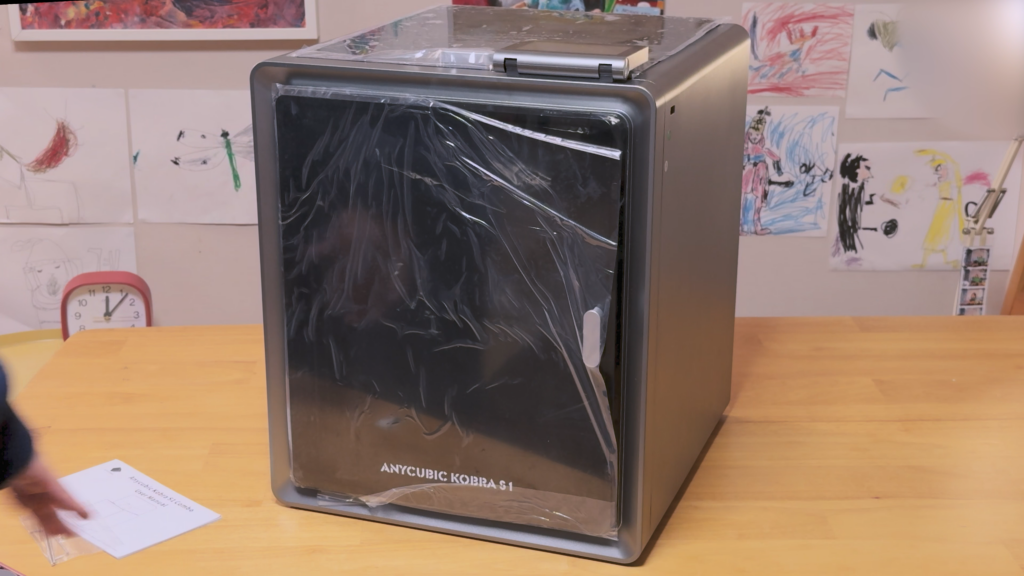
Personally, I welcome Anycubic's decision, as I was quite satisfied with the K1 in the past due to its slim profile. However, because it was so slim, it suffered from significant vibration during acceleration, which ultimately affected the quality of the prints.
From the perspective of a mechanical engineering major, speaking with my limited knowledge, the easiest way to reduce vibration when controlling an object is to make the product heavier and lower its center of gravity. Therefore, for a 3D printer that is printing, if the main body is heavy and has a wide surface area touching the floor, vibrations are reduced, which can ultimately result in better print quality.
In particular, the CoreXY 3D printer, where the motor and movement system move excitingly from the top creating significant momentum, inevitably creates quite large vibrations from the top due to the structural characteristics of the CoreXY design. I believe this design of the structure will ultimately be a great help for producing good output.
Therefore, among CoreXY printers with similar print sizes, the Qidi Q1 Pro was the device I had used that offered the best quality-to-performance ratio, but given that the Anycubic Kobra S1 is one of the heavier and larger models, it appears to possess a quite stable structure.
The printer's interior shows signs of careful attention, with the top gantry sections positioned independently and safely on the Y-axis supports, similar to Bambu Lab's CoreXY printer or the Qidi Q1 Pro mentioned above and other CoreXY high-speed printers that showed good quality. It also features a three-Z-axis configuration to create a structure that allows the bed to be raised stably. Overall, it feels solid and well-made.
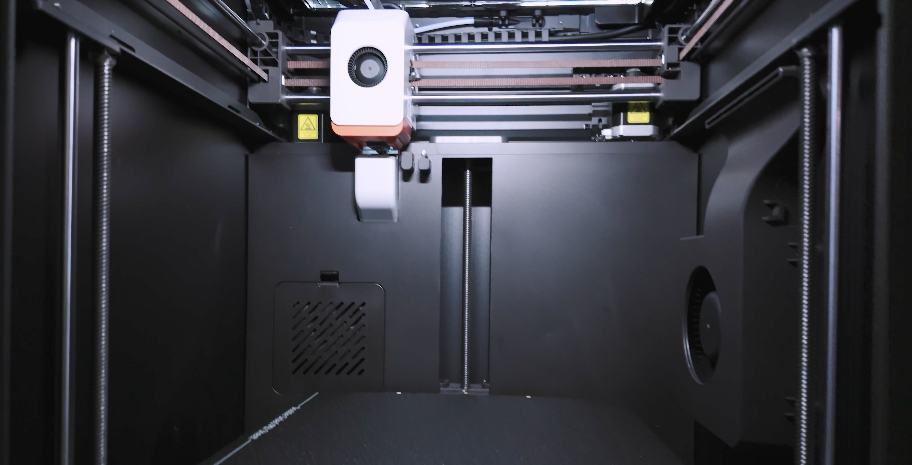
In addition, one can see that the nozzle wiper, filament poop chute, and side blowers, among other key elements of high-speed CoreXY printers made and sold in China, are almost similarly arranged, as seen on Bambu Lab printers.
By now, it seems like since the emergence of Bambu Lab, the market has moved into an infinite competition where everyone copies each other to lower prices and level the playing field.. From the perspective of a 3D printer user, I find this infinite competition happening within China's domestic market both enviable and, at the same time, frightening..
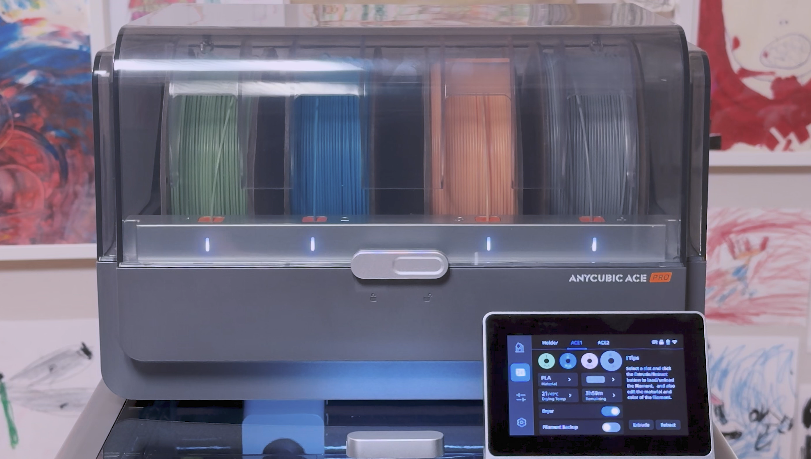
At first glance, the Anycubic might look like it copied Bambu Lab, but rather than that, Anycubic has its own unique multi-filament supply system, specifically the filament holder system called Ace Pro, where instead of one tube coming out, four tubes come out independently. So, through the hub attached to the main body, the structure is ultimately configured so that one tube is supplied to the head for printing.
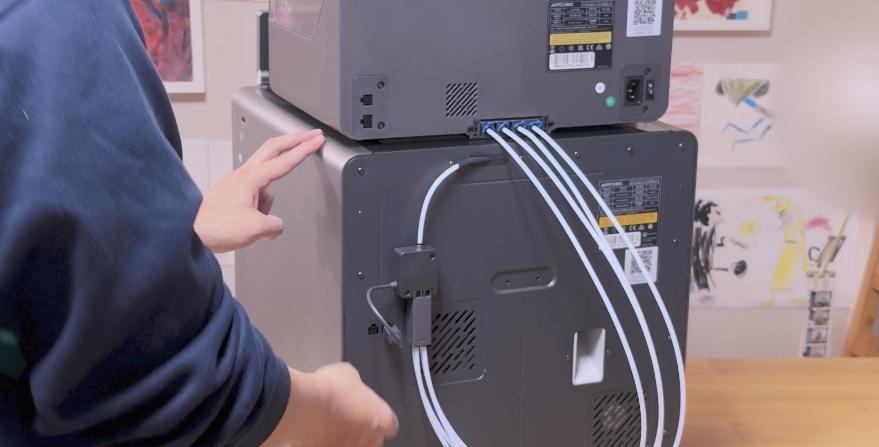
Personally, I thought the system was quite ingenious when I first used it on the Kobra 3, but that was because the Kobra 3 had its hub attached to the head, arranged in a way that looked like the A1 series.
One of the advantages of this system is its versatility, as the Ace Pro can be used not only on the Kobra 3 but also on the S1. However, a downside was that the lines were too numerous, requiring careful management, and for the Kobra 3, the PTFE tube was too long, causing filament feeding and retraction to take too long. It seems the S1 addressed this by reducing the tube length to nearly half that of the Kobra 3, significantly alleviating these issues.
Also, with the Kobra 3, there were many issues such as filament jams or breakage inside when first used, but I don't know if this is because the Ace Pro supply system was improved, but over the past few days of use, there wasn't a single instance of filament interruption or clogging.. Did Anycubic finally grow up?
Personally, I think the newly designed and applied head system is playing a role here... I think so...
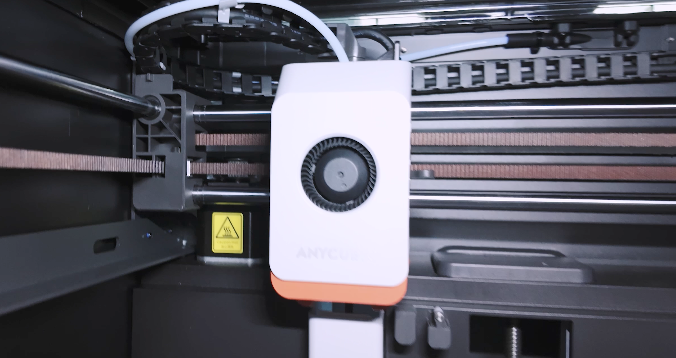
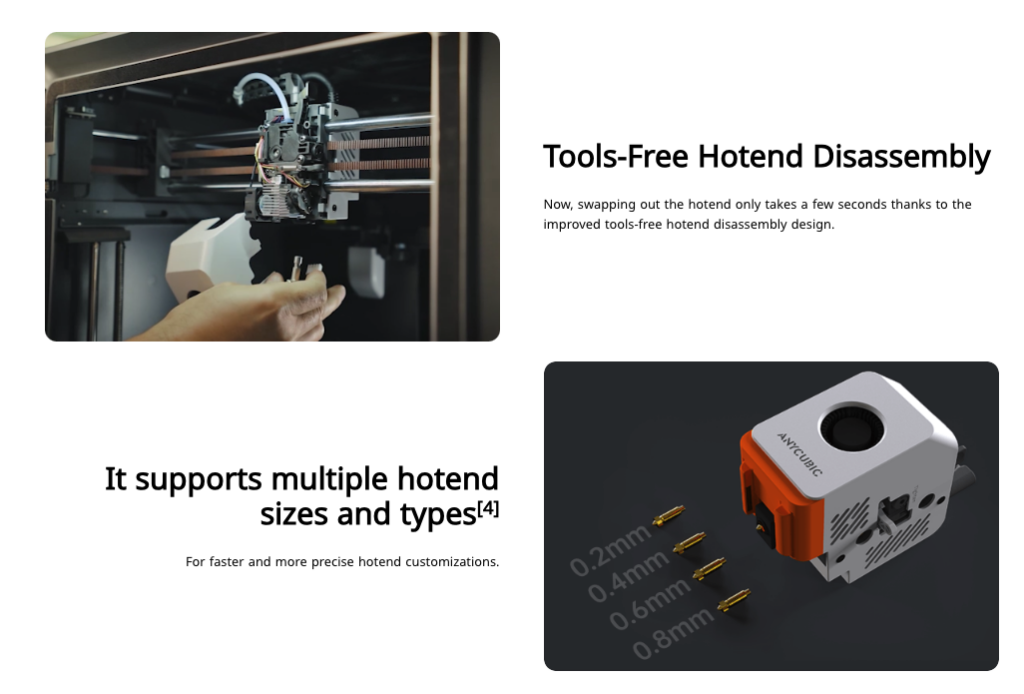
Since Anycubic's homepage proudly introduces it, I think there must have been quite a few improvements.
If I get the chance, I should take apart the hotend and see what has changed.
Another point that was quite good to mention is that the control console has become quite responsive.
I suspect that the mainboard itself may have been changed, as compared to the Kobra 3, the response is much faster. The Kobra 3 was criticized for having a structure where the connection itself was quite unstable, but the S1 has a rotating hinge allowing it to be laid flat and opened.
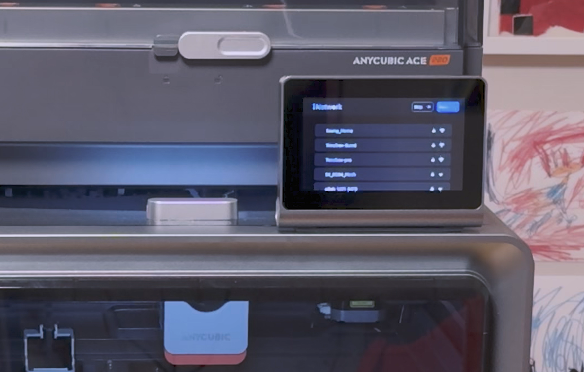
Of course, I don't know why the control console needs to fold at that location, but I do think that if you have to place the printer on the floor for some reason, it might look better to fold it up and use it facing up. It would have been nice if it could rotate at various angles, like the Bambu Lab A1.
The Ace Pro works in a way similar to Bambu Lab printers, where it sits on top of the main body, and it is quite stable and runs well. The Ace Pro side seems to have undergone many improvements since the release of the Kobra 3 while addressing numerous issues.
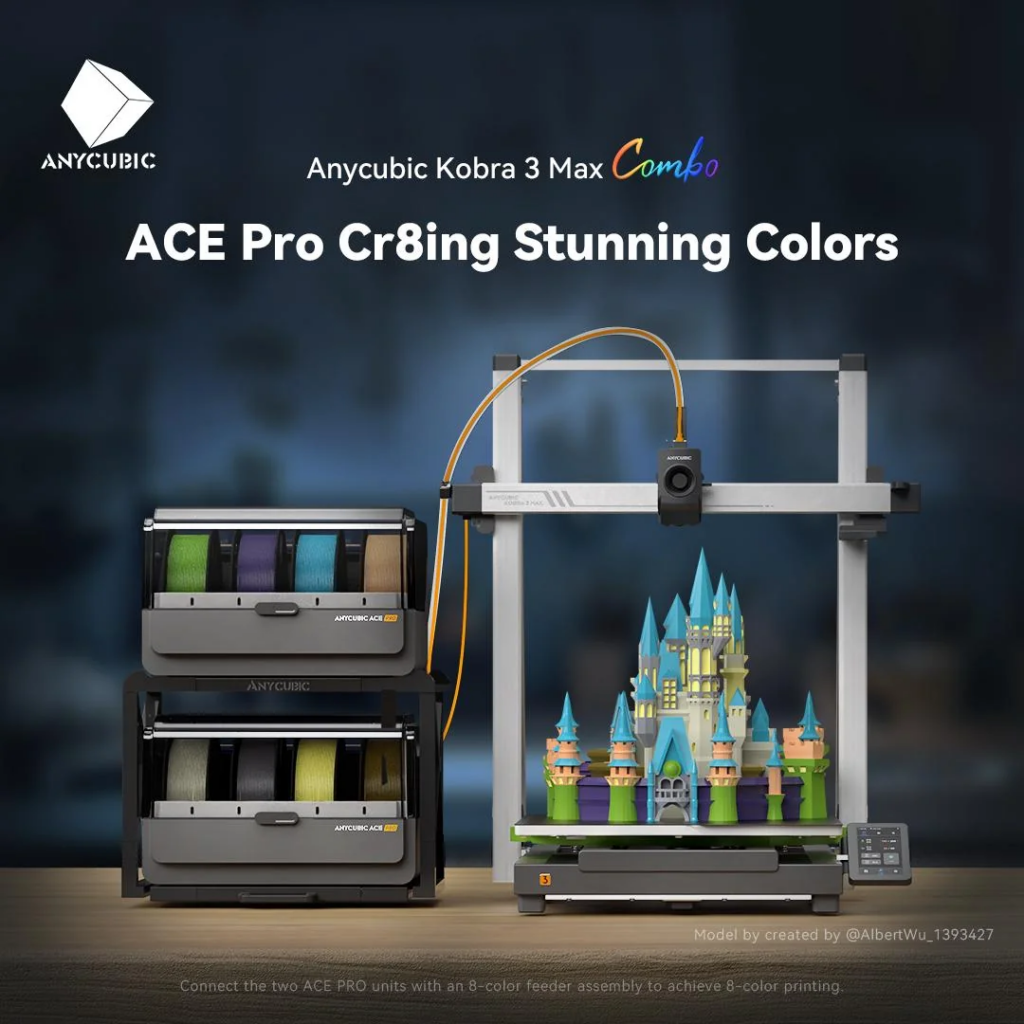
When looking at posts related to the Kobra 3 Max, you can see photos like the one below showing the Ace Pro being used in pairs.. The S1 is expected to be able to be used in a tower configuration as well. There are already dual hub systems created by users on printable and other data sharing sites, so I hope the official version comes out soon.
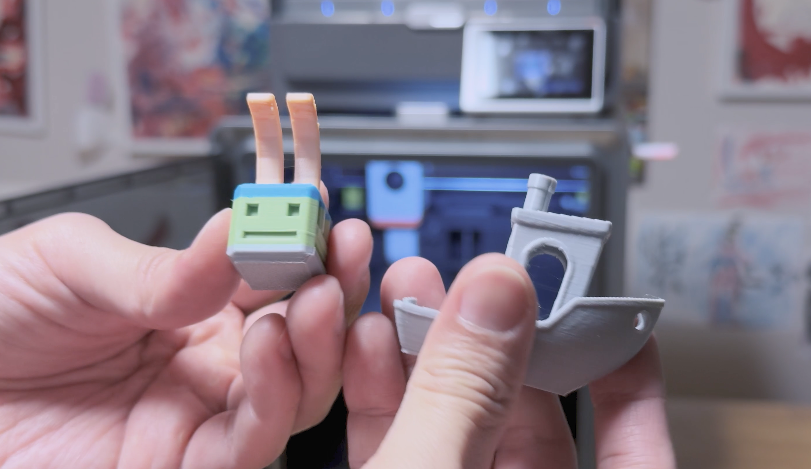
After completing the simple setup, I ran the 14-minute benchmark that comes by default and a 4-color test using the Benchy benchmark. I was surprised by how well the results turned out. Is this finally the appropriately sized CoreXY printer that will challenge Bambu Lab's dominance?!
For the K2 Plus I reviewed recently, the quality was good, and above all, because the print size is large, I was able to obtain very satisfying results. However, considering the price is also high and the printer itself is too big, it felt excessive for someone like me who prints as a hobby.
So I was hoping for a K2 instead of the K2 Plus, since a size similar to the Bambu Lab printer, around 250 x 250 x 250, would be perfect. It feels like Anycubic Kobra S1 is exactly filling that positioning.
Most importantly, the price is quite affordable, and at this current point after using it for about 5 days, the satisfaction level is extremely high. Based on a few tips I originally had, I am enjoying a very pleasant printing life without any failures.
I've been pulling out all sorts of things just to test it out, and I'm amazed because everything is printing perfectly well, even random shapes.
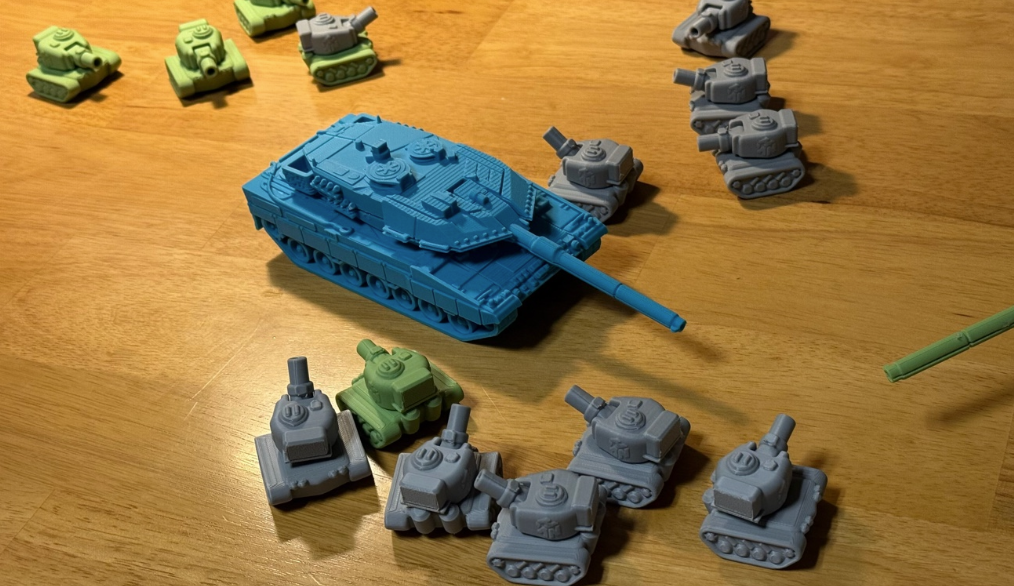
Of course, the Anycubic slicer Next, which is based on OrcaSlicer, is also playing a big role here.. The regrettable part is that the Mac version still hasn't been released properly, so they are printing remotely from a Windows environment ㅠㅠ
In this regard, it seems Anycubic still has a long way to go if it wants to compete with Bambu Lab, or even Creality.
Please refer to the video below for the full unboxing process.
That concludes this unboxing and review of the Anycubic Kobra S1 that I received and used.
I've been using it for about 1 to 2 weeks and wanted to share a more detailed review. First impressions are a pass, and if the domestic distributor sets the price appropriately and the Mac slicer and other updates work normally, I think this will be a device that many people will be satisfied with and use.
I will also post related news if there are any official launch updates in Korea or future reviews.